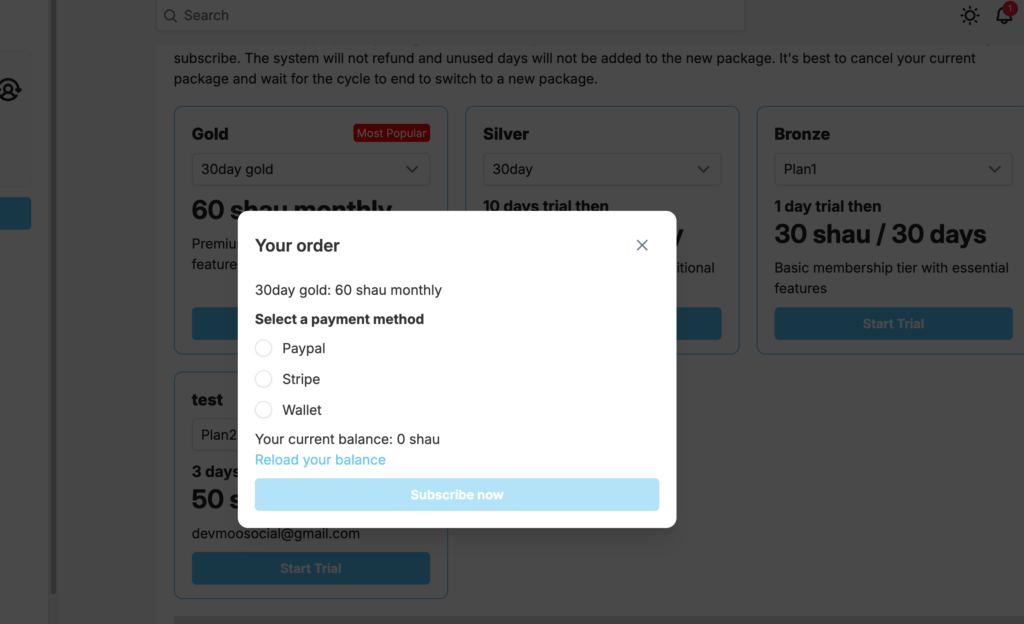
ShaunSocial 1.5.3 allows you to accept online payments via Stripe and PayPal for multiple features including:
- Membership upgrades
- Profile subscriptions
- Unlocking paid content
- Featuring business pages
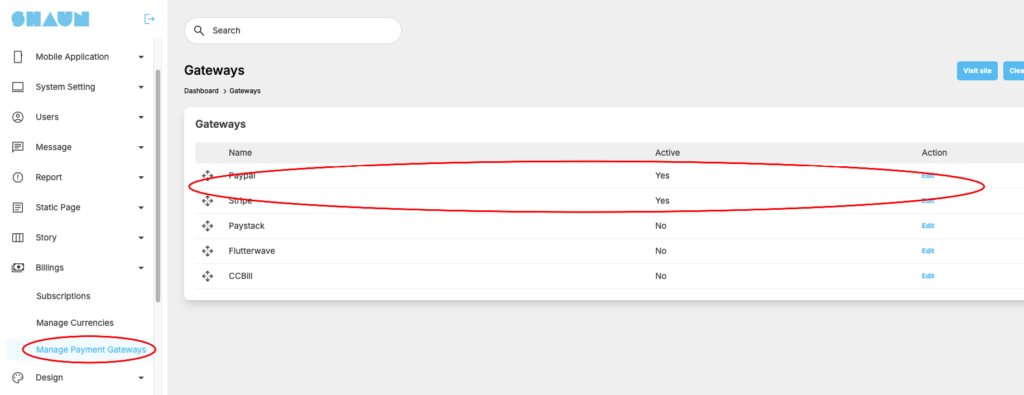
First step to do is making sure that stripe and paypal are enable at “Manage payment gateways” section
For membership upgrade, please follow below steps
Please go admincp -> Membership -> Manage package and click on “Plans”
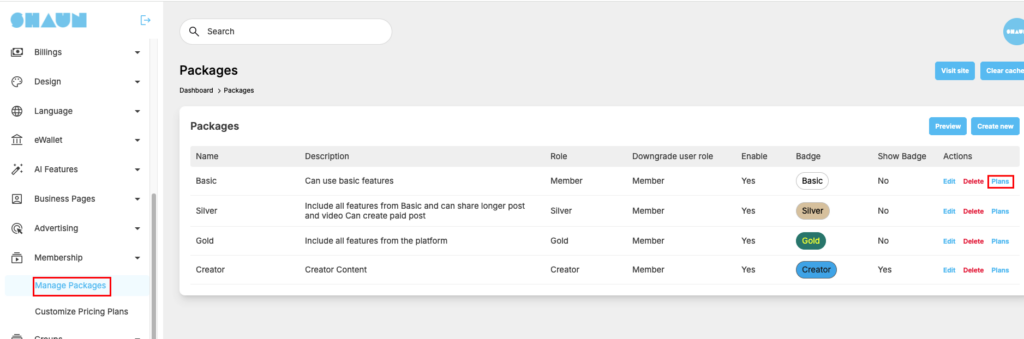
System will open page for you manage plans of the selected package
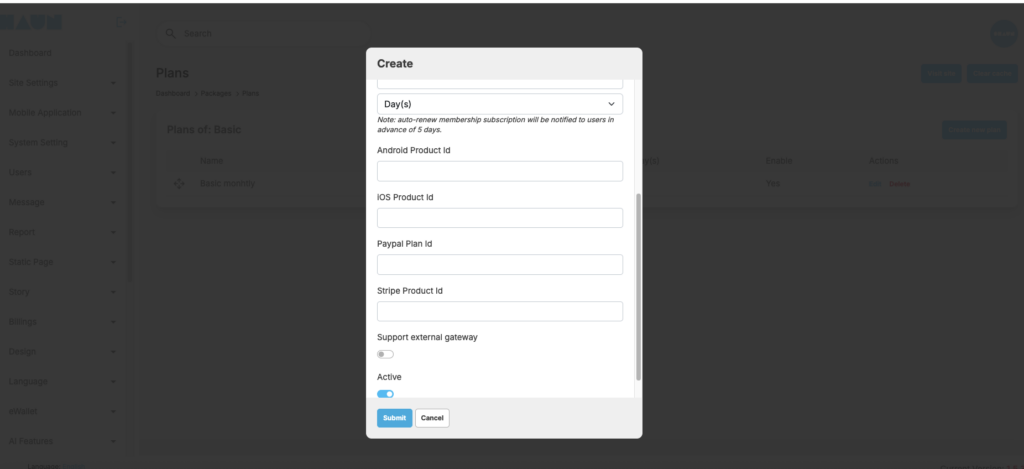
Hit on “Create New Plan”, system will open a new popup for you to add a new plan. You will see new fields for you to enable “Support External Payment gateway”. If you enable this option, you need to enter paypal Plan ID and Stripe Product ID
You need to create recurring plan/product on Paypal and Stripe then get the ID. You can google to know how to get these two id.
If the gateway is proper configuration, your member we see two more option like this when upgrading membership, unlock content or feature a business page