Check-in plugin 1.1.0 / Using Check-in
Check in from a post
Member
This page is for members: how to check in from a post.
Check in from a post#
Member
Last updated: 2026-11-19 · v1.1.0
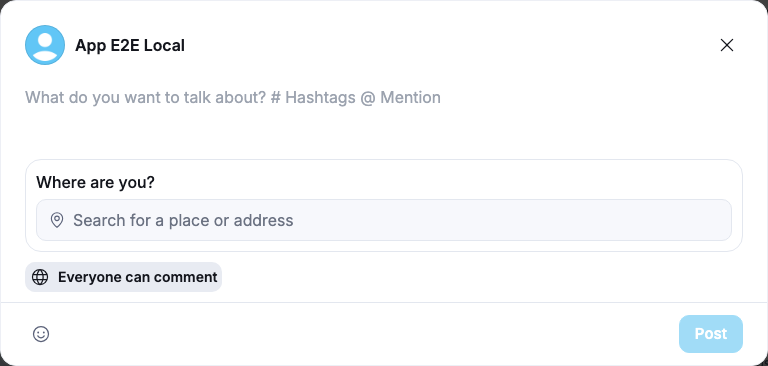
- Under "What do you want to talk about?", click Check in.
What you should see: the composer with "Where are you?" and the field "Search for a place or address".
- Type part of the place's name or address and pick it from the list. A map of the spot appears while the picture is fetched ("Fetching map for this location…").
- Add text if you like (it is optional), choose who can comment, and click Post.
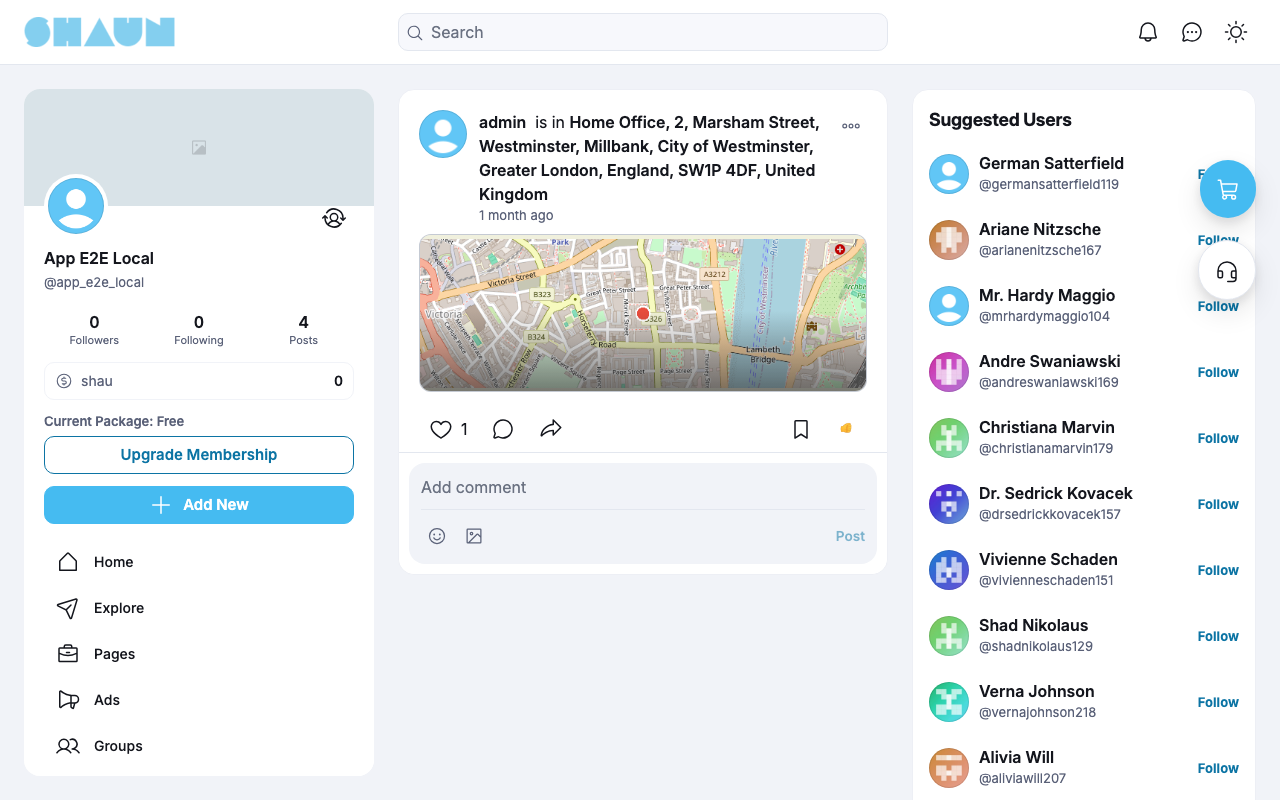
The post shows "your name is in address" at the top and the map below. Anyone who clicks the map sees the place on the map provider's website.
Change log#
Last updated: 2026-11-19 · v1.1.0
| Date (GMT+7) | Section | What changed |
|---|---|---|
| 2026-11-19 | check-in | New page. Its sections were moved here unchanged, with links to other pages updated: "Check in from a post" (from the former page "Set up and use Check-in"). |
| 2026-11-19 | check-in | First version for Check-in 1.1.0, written from the 1.1.0 code. Google Maps was not tried (the demo site has no Google keys); the steps were read from the code. Screenshots from a demo site running Check-in 1.1.0 with OpenStreetMap. |
| 2026-11-19 | all | Pages reorganised: AdminCP content now has its own pages. |