News plugin 1.1.0 / Using News
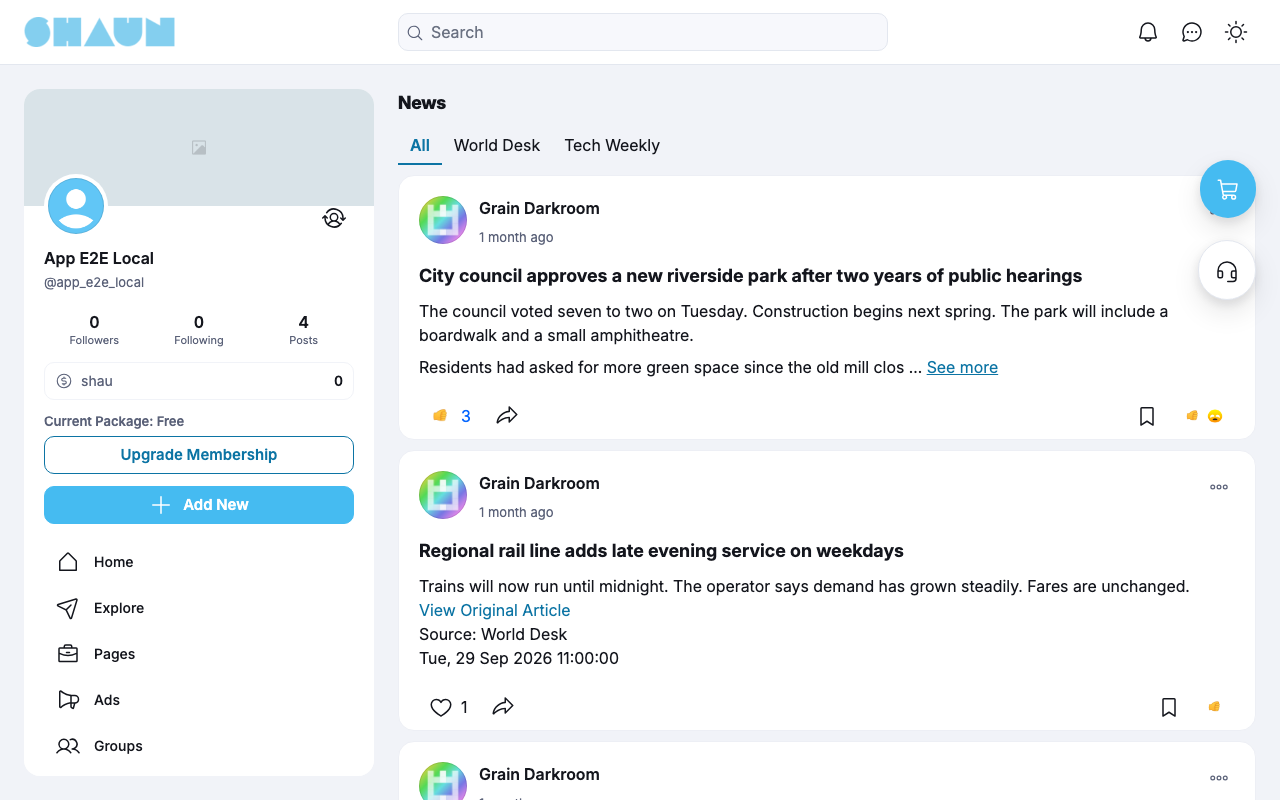
Read the news
Member
This page is for members: how to read the news.
Reading the news#
Member
Last updated: 2026-11-19 · v1.1.0
Click News in the menu, or open https://example.com/news. Visitors who are not signed in can
read it too.
- All shows the news of every channel, newest first; each other tab shows one channel.
- Each news post shows the business page that published it, the headline and the text. See more opens the rest, with View Original Article, the source and the date.
- You can react to and share news posts like other posts. You can comment only if the site allows it.
- News posts also appear on the business page and, if you follow the page, in your home feed. They are not shown in Explore.
Change log#
Last updated: 2026-11-19 · v1.1.0
| Date (GMT+7) | Section | What changed |
|---|---|---|
| 2026-11-19 | news-page | New page. Its sections were moved here unchanged, with links to other pages updated: "Reading the news" (from the former page "Set up and use News"). |
| 2026-11-19 | news-page | First version for News 1.1.0, written from the 1.1.0 code. The admin steps and the fetching were read from the code, not run. Screenshots from a demo site running News 1.1.0 with two sample channels. |
| 2026-11-19 | all | Pages reorganised: AdminCP content now has its own pages. |