Friends plugin 1.0.0 / Using Friends
Add friends and use the Friends feed
This page is for members: how to add friends, the Friends feed and the Friends privacy choices.
Add friends#
Last updated: 2026-11-19 · v1.0.0
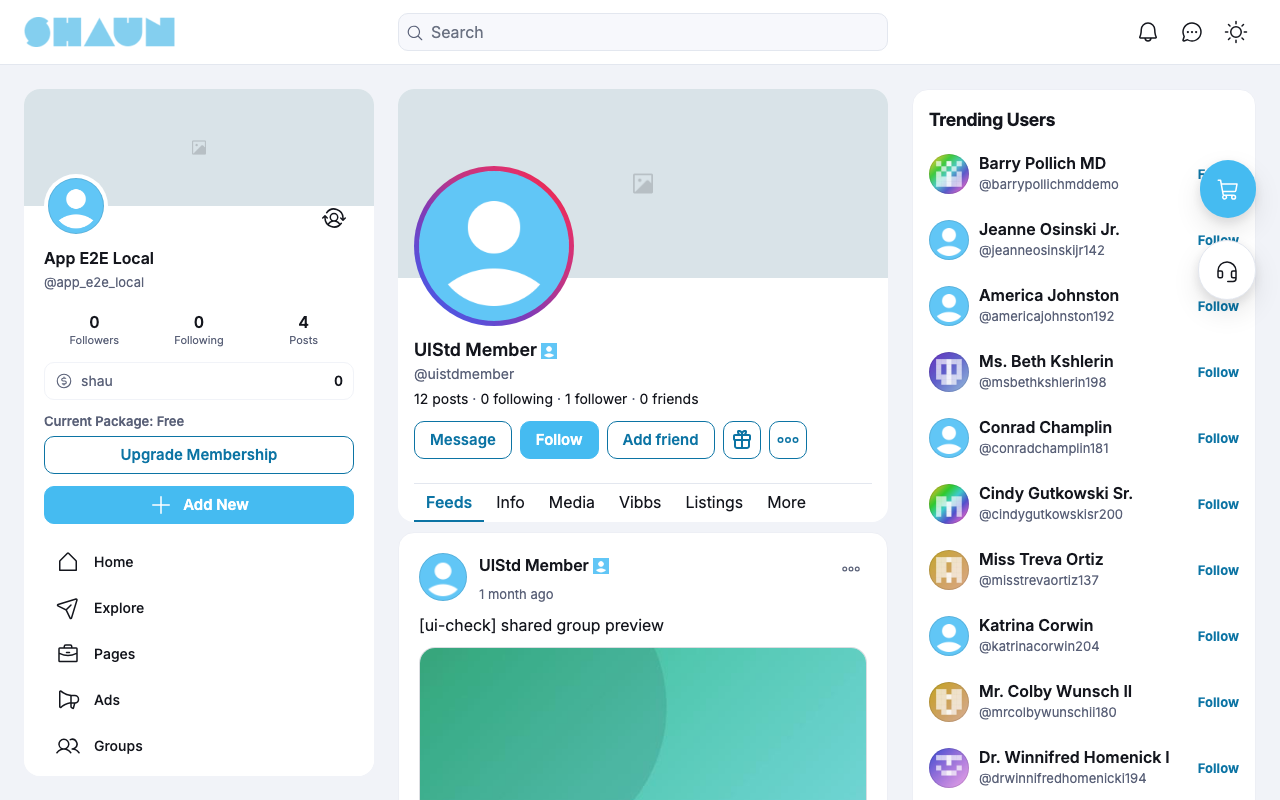
- Open the member's profile and click Add friend.
What you should see: the button changes to Requested. The member gets the notification "… sent you a friend request."
- The member clicks Respond on your profile, or opens their friend requests, and chooses Accept or
Decline.
What you should see: after Accept, the button reads Friends, you follow each other, and you get "… accepted your friend request."
| Button | Click it to |
|---|---|
| Add friend | send a request |
| Requested | take your request back (Cancel request, after a confirmation) |
| Respond | Accept or Decline the member's request |
| Friends | Unfriend, after "Are you sure you want to unfriend this member?". You also stop following each other |
A request is refused when the member does not accept requests ("This member is not accepting friend requests."), when a request between you is already waiting ("A friend request is already pending."), when either of you reached the limit, or when one of you blocked the other. Declining sends no notice.
Your friend requests and friends#
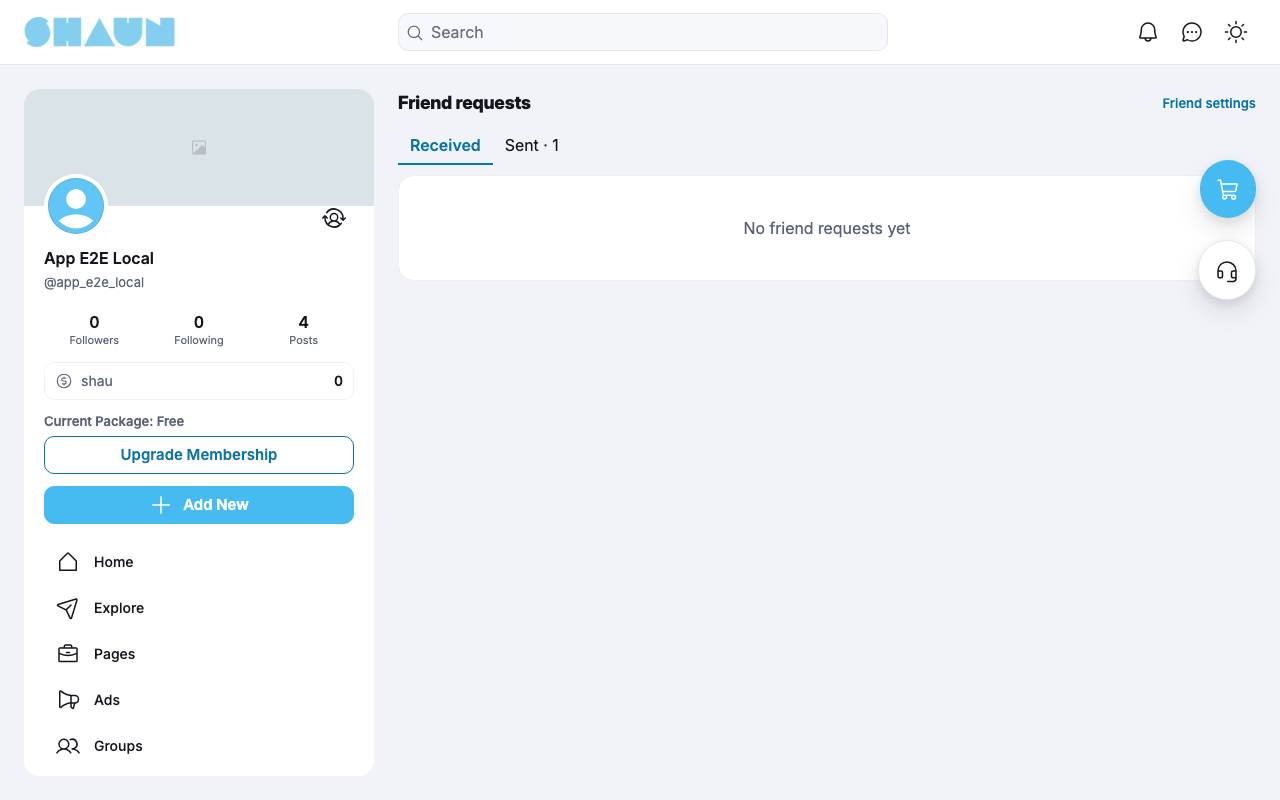
- The friend requests page (
https://example.com/friends/requests) has the tabs Received and Sent, each with its number. Open it from your own friend count (Friend requests at the top of your friends list). Friend settings leads to your privacy settings. - Click "n friends" on a profile to see that member's friends; only signed-in members can open the list. Your own friends are also under Lists → Friends.
The Friends feed#
Last updated: 2026-11-19 · v1.0.0
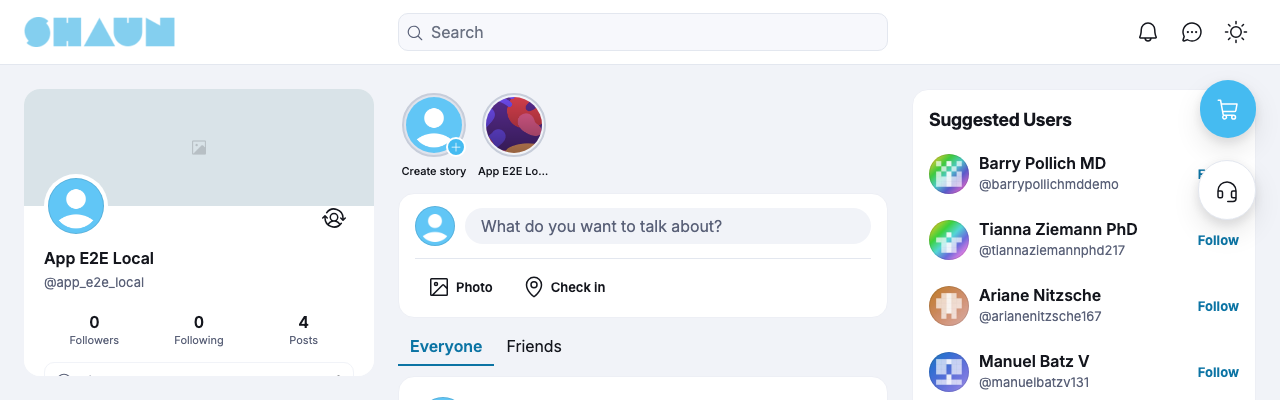
On the home page, the Friends tab next to Everyone shows only the posts your friends wrote themselves, as far as their privacy lets you see them; posts they shared from others are left out.
Friends in your privacy choices#
Last updated: 2026-11-19 · v1.0.0
| Where | The new choice |
|---|---|
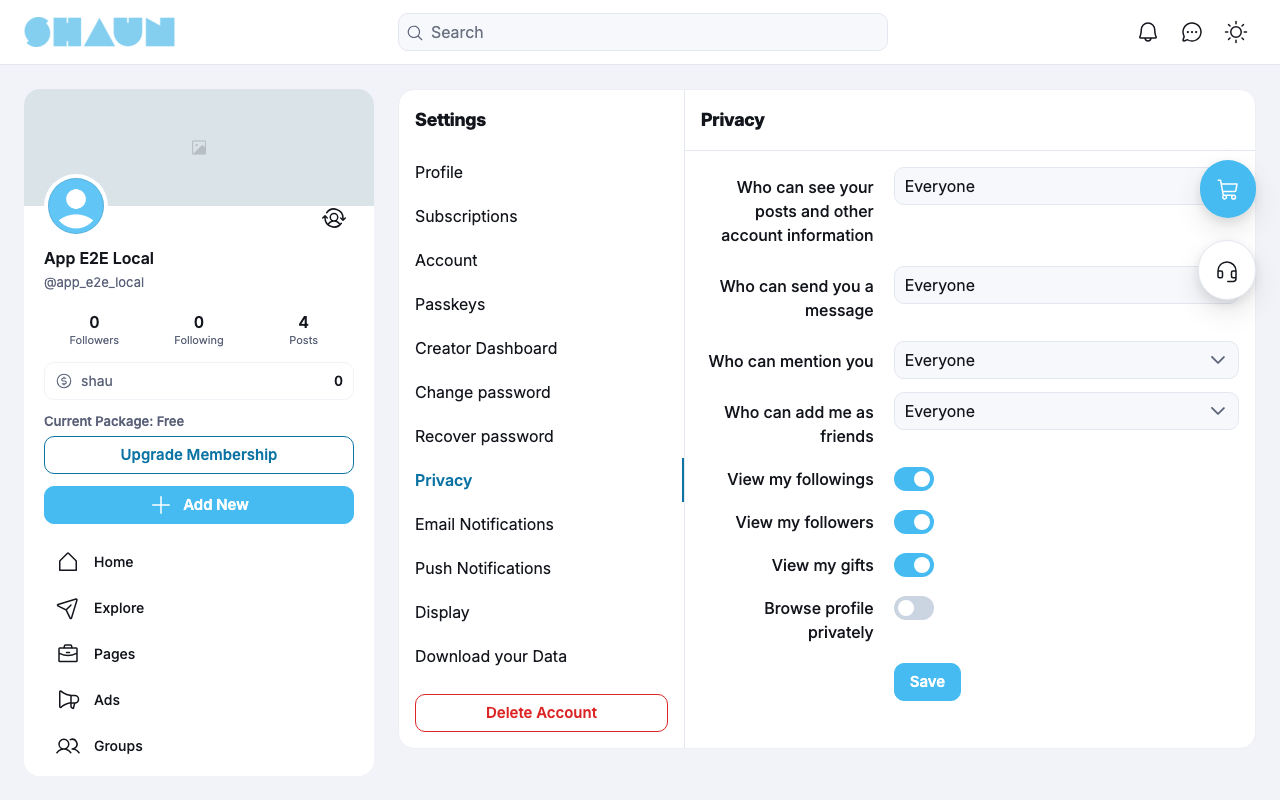
| Settings → Privacy: Who can add me as friends | Everyone (at first) or Nobody. With Nobody, nobody can send you a request; your friends stay |
| Settings → Privacy: Who can send you a message and Who can mention you | Friends: only your friends |
| Settings → Profile: the privacy button next to each detail | Friends: only your friends see that detail |
| The post composer: who can comment | Friends can comment: your friends and the accounts you mention in the post |
The other privacy settings are explained in Privacy in the ShaunSocial guide.
Change log#
Last updated: 2026-11-19 · v1.0.0
| Date (GMT+7) | Section | What changed |
|---|---|---|
| 2026-11-19 | friend-requests, home-feed, privacy | New page. Its sections were moved here unchanged, with links to other pages updated: "Add friends", "The Friends feed", "Friends in your privacy choices" (from the former page "Set up and use Friends"). |
| 2026-11-19 | friend-requests, home-feed, privacy | First version for Friends 1.0.0, written from the 1.0.0 code. Sending and accepting requests were read from the code, not run. Screenshots from a demo site running Friends 1.0.0. |
| 2026-11-19 | all | Pages reorganised: AdminCP content now has its own pages. |