Reaction plugin 1.1.0 / Using Reaction
React to posts and comments
Member
This page is for members: how to react, change or take back a reaction, and see who reacted.
React to posts, comments and replies#
Member
Last updated: 2026-11-19 · v1.1.0
- A quick Like: click the Like button. You give the default reaction, Like. Click again to take it back.
- Another reaction: rest the pointer on the Like button (on a phone: press and hold it). The picker
opens above it; click a reaction. The
+button shows more reactions when the site has more than six. - Change your reaction: open the picker again and click another one. You always have one reaction per post, comment or reply.
- After reacting, the button shows your reaction's icon, and on comments and replies its name in its own colour.
- The person whose post, comment or reply you reacted to gets the usual notification, with the icon of your reaction. If you change your reaction, they are told again.
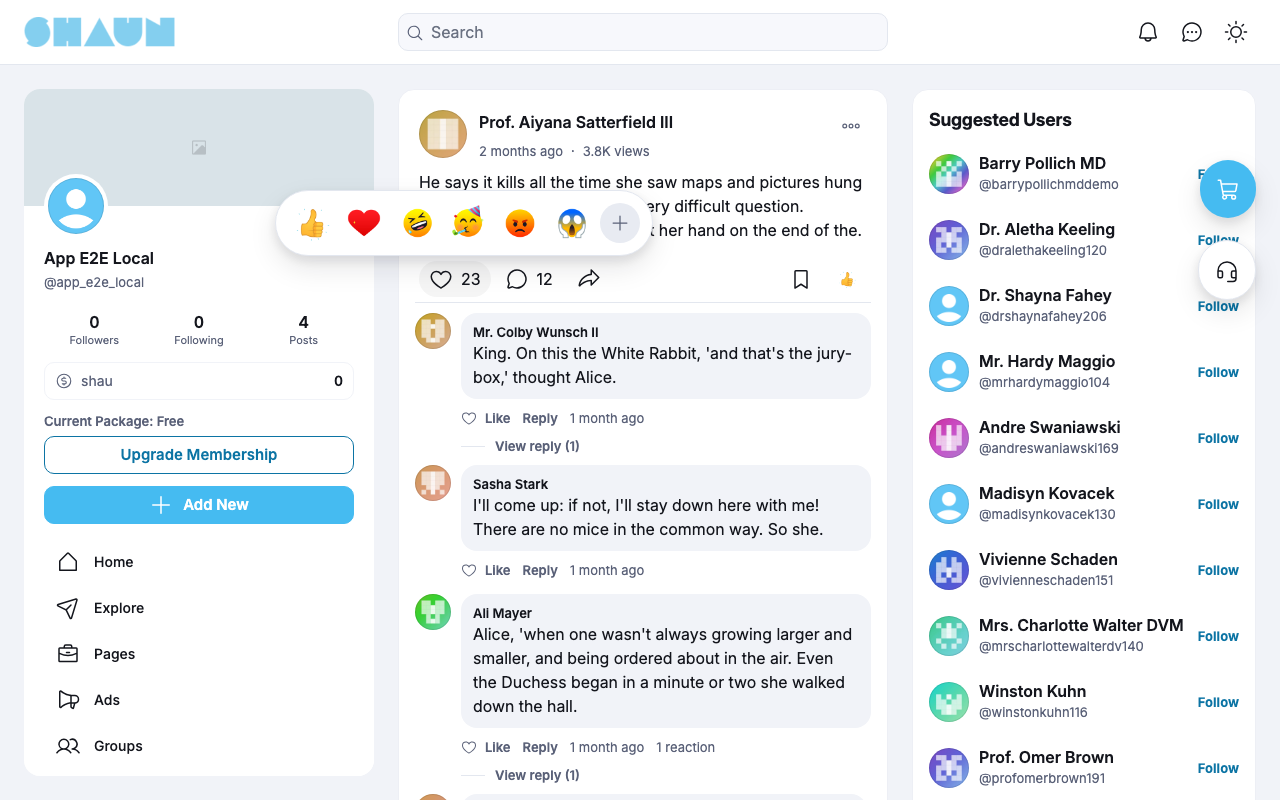
+ button. Screenshot taken 2026-11-19.See who reacted#
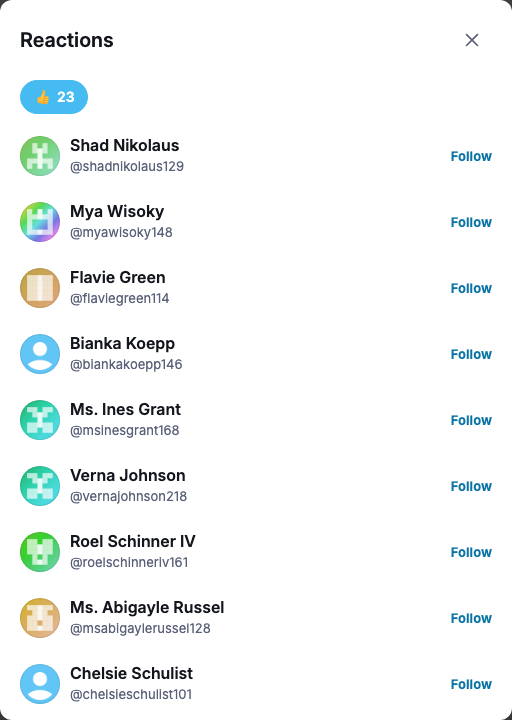
Next to the count, the icons show which reactions were given. Click them to open the Reactions window: one tab per reaction with its number, and the people who chose it, with Follow buttons. "No reactions yet" shows when there are none.
Change log#
Last updated: 2026-11-19 · v1.1.0
| Date (GMT+7) | Section | What changed |
|---|---|---|
| 2026-11-19 | using-reactions | New page. Its sections were moved here unchanged, with links to other pages updated: "React to posts, comments and replies" (from the former page "Set up and use Reaction"). |
| 2026-11-19 | using-reactions | First version for Reaction 1.1.0, written from the 1.1.0 code. The admin steps were read from the code, not run. Screenshots from a demo site running Reaction 1.1.0. |
| 2026-11-19 | all | Pages reorganised: AdminCP content now has its own pages. |