Calling plugin 1.1.0 / AdminCP
Call service
This page is for admins: how to connect the call service, on the Provider Settings screen.
Connect the call service#
Last updated: 2026-11-19 · v1.1.0
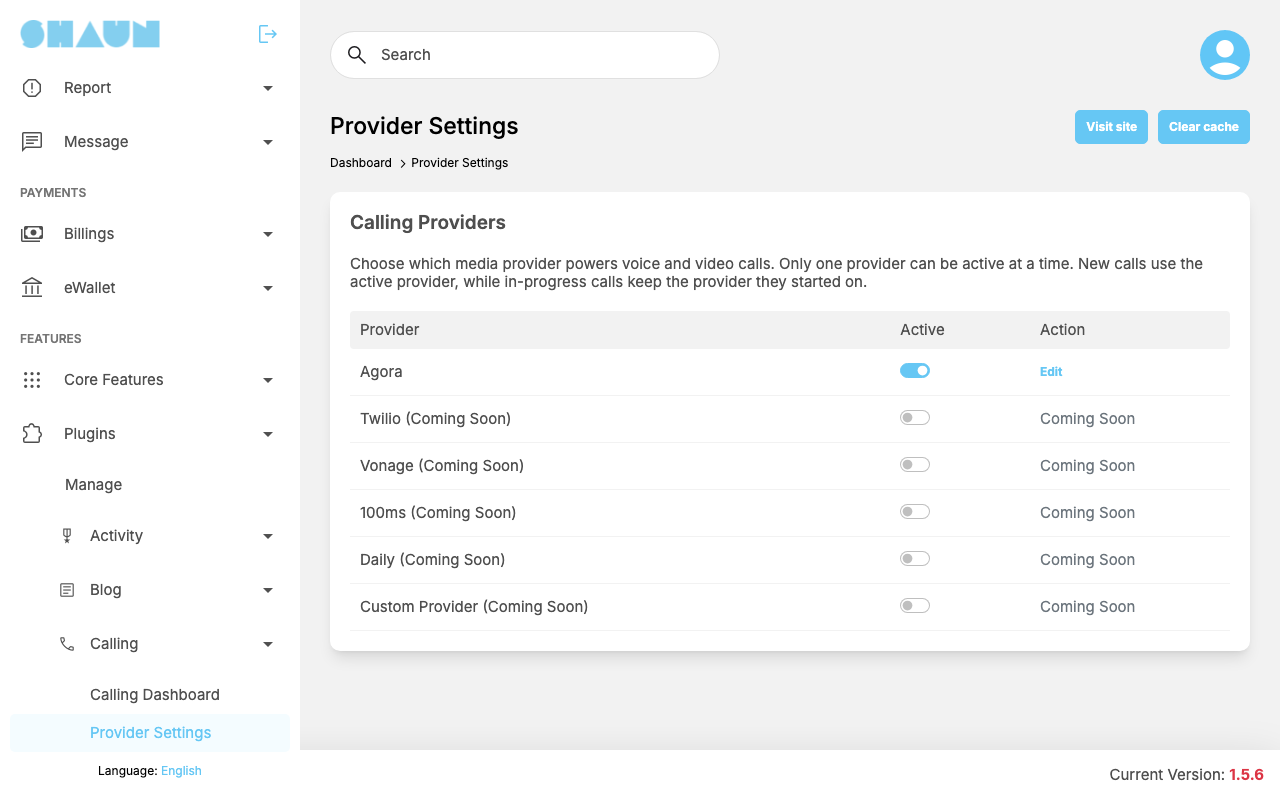
The sound and video of calls travel through Agora, an outside service. The screen Calling Providers lists Agora, which is the active provider, and other names marked Coming Soon that cannot be chosen yet. When the App ID or App Certificate is missing, a yellow box "Configuration incomplete." names what is missing, and the Agora row shows Credentials missing.
- On the Agora website, create a project with an App Certificate (secured mode) and copy its App ID and App Certificate.
- Click Edit on the Agora row.
- Fill in the window Edit Agora Settings:
Field After installing What to enter Agora App ID empty the App ID of your Agora project. Required Agora App Certificate empty the App Certificate of the same project. Required. Keep it secret, like a password Agora Token Expiry (seconds) 3600 "Token expiration time in seconds. Minimum 60.": how long the pass a member's device gets to join a call stays valid. Set it longer than the longest call you expect; 3600 is one hour Agora Region empty "Optional region for Agora routing (US, EU, AP). Leave blank for default." This version does not use it; leave it empty - Click Submit.
What you should see: the screen reloads without the yellow box. A missing field shows "The Agora App ID is required." or "The Agora App Certificate is required."; an expiry under 60 shows "Token expiration must be at least 60 seconds."
While the App ID or App Certificate is missing, members who try to call get "Calling is not properly configured. Please contact the administrator." New details apply to calls started afterwards; calls in progress keep running.
Change log#
Last updated: 2026-11-19 · v1.1.0
| Date (GMT+7) | Section | What changed |
|---|---|---|
| 2026-11-19 | provider | New page. Its sections were moved here unchanged, with links to other pages updated: "Connect the call service" (from the former page "Set up Calling"). |
| 2026-11-19 | provider | First version for Calling 1.1.0, written from the 1.1.0 code. No call was made while writing: the charges, the free minutes and the messages were read from the code, not run. |
| 2026-11-19 | screenshots | Screenshots from a demo site running Calling 1.1.0 where calls were switched on and the Member role had prices of 2 and 3; the member screens (call buttons, ringing window, call screen, call cards) were not captured because no call can be made on the demo site. |
| 2026-11-19 | all | Pages reorganised: AdminCP content now has its own pages. |