Gift plugin 1.1.0 / Using Gift
Send and receive gifts
This page is for members: how to send a gift and see the gifts you received.
Send a gift#
Last updated: 2026-11-19 · v1.1.0
You can send a gift to a member who may receive gifts from three places:
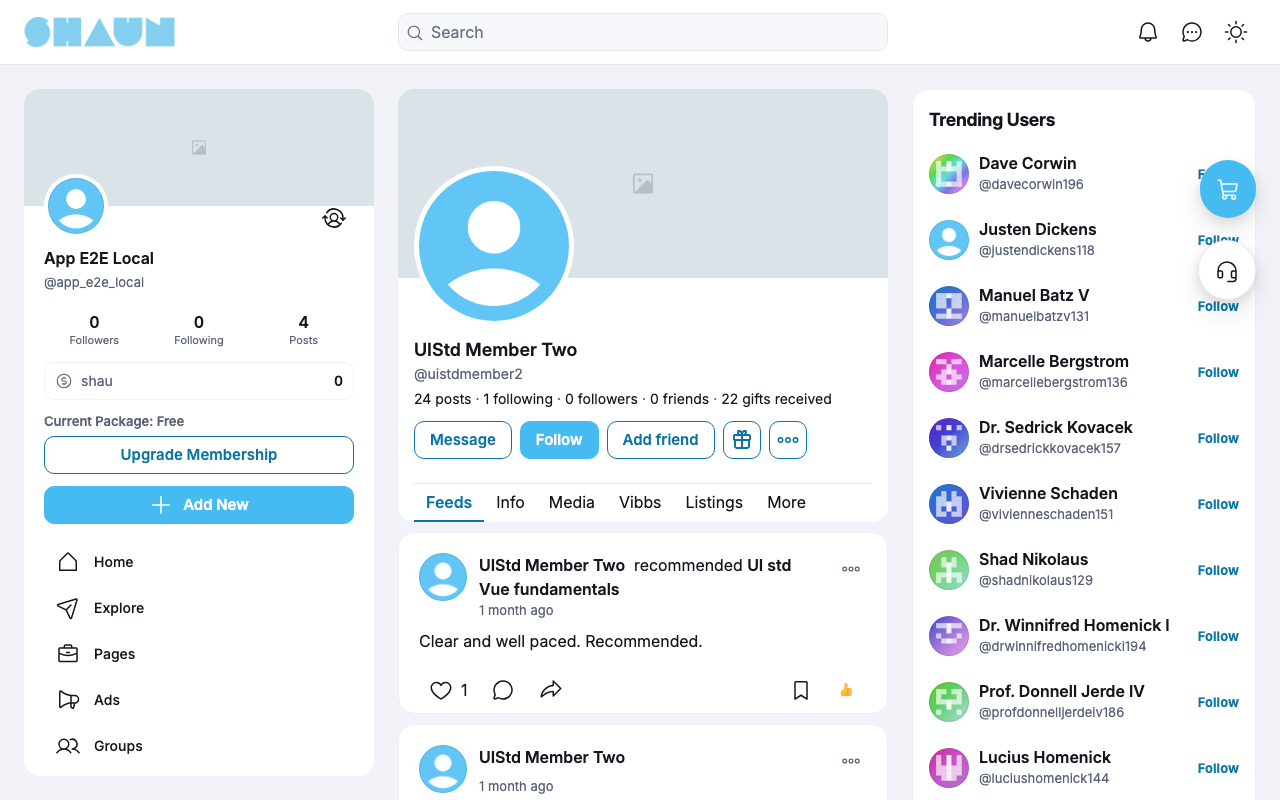
- their profile: the gift button next to Message and Follow;
- one of their posts: Send Gift in the post's options menu (
…); - a chat with them: the gift icon at the top of the conversation.
- Click the gift button or Send Gift.
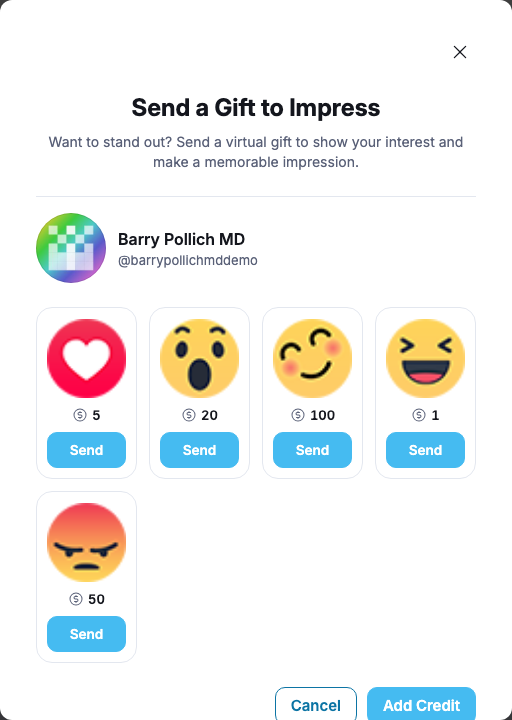
What you should see: the window "Send a Gift to Impress" with the member's name and the gifts, each with its price.
- Click Send under the gift you want.
- Enter your password in Enter Password and confirm.
What you should see: "Gift has been sent." The price is taken from your eWallet.
- "You don't have enough balance": add funds first. Add Credit in the window opens your eWallet (see Add funds).
- "The password is incorrect.": type your account password again.
- The receiver gets "… sent you a payment." and, if a fee is set, a little less than the price.
Gifts you received#
Last updated: 2026-11-19 · v1.1.0
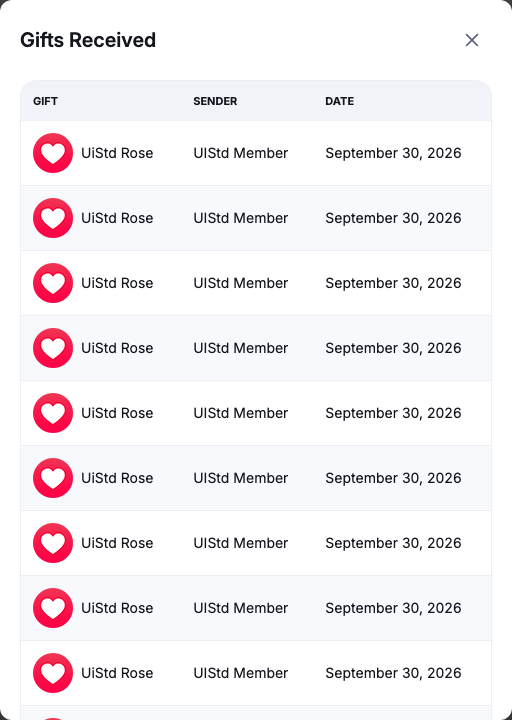
Once you received a gift, your profile shows the number on the line with your posts, following and followers, for example "22 gifts received". Click it to open Gifts Received: each gift with its Gift, Sender and Date, newest first. A sender who deleted their account shows as "Deleted user", and a gift the site removed as "Deleted Gift".
Hide your gifts from others#
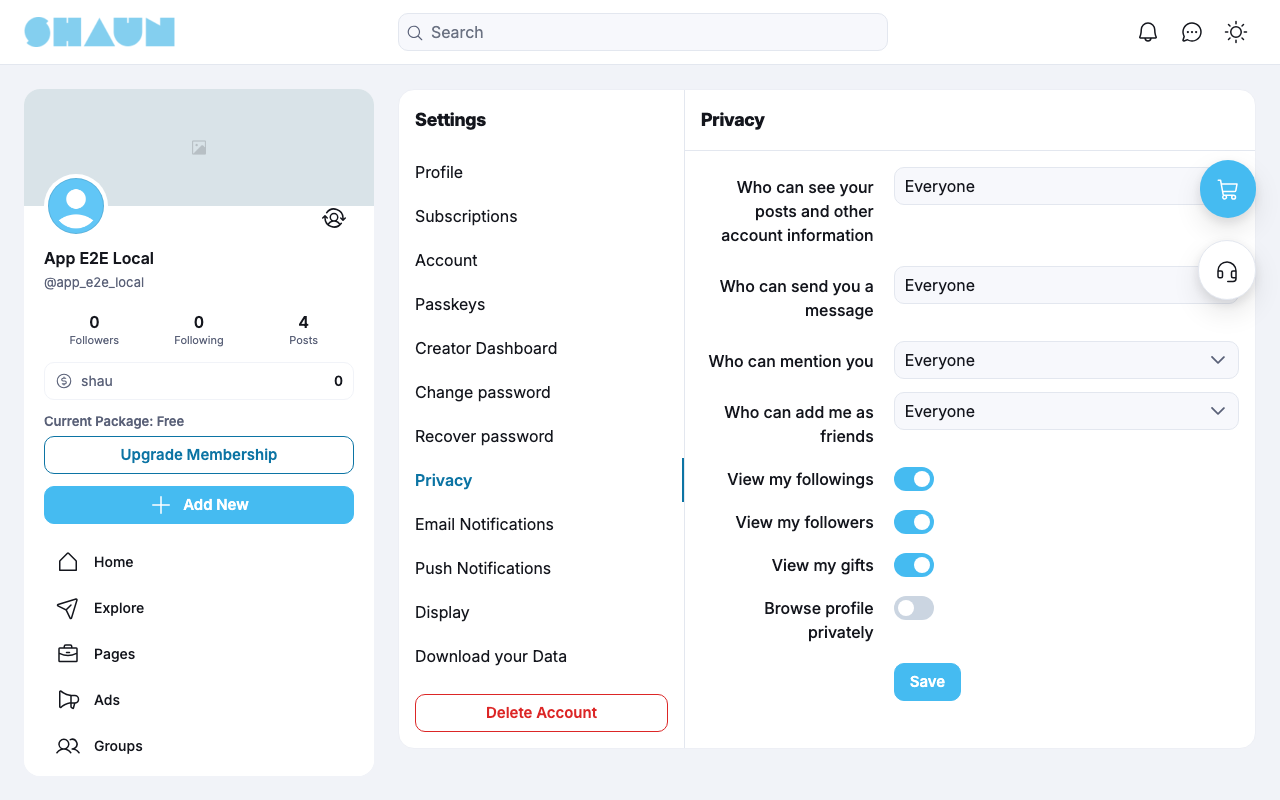
In Settings → Privacy, switch off View my gifts and click Save (see Privacy in the ShaunSocial guide). Others then no longer see your gift count or list; you, the site's admins and moderators still do. People who may not see your profile at all never see your gifts. The switch is on for every member at first.
Change log#
Last updated: 2026-11-19 · v1.1.0
| Date (GMT+7) | Section | What changed |
|---|---|---|
| 2026-11-19 | send-gift, gifts-received | New page. Its sections were moved here unchanged, with links to other pages updated: "Send a gift", "Gifts you received" (from the former page "Set up and use Gift"). |
| 2026-11-19 | send-gift, gifts-received | First version for Gift 1.1.0, written from the 1.1.0 code. No gift was sent while writing: the payments, the fee and the messages were read from the code, not run. Screenshots from a demo site running Gift 1.1.0 where the feature and the receiving permission were already switched on. |
| 2026-11-19 | all | Pages reorganised: AdminCP content now has its own pages. |