Viewed Me plugin 1.1.0 / Using Viewed Me
See who viewed your profile
This page is for members: the Viewed me page, when a visit is recorded and how to browse profiles privately.
See who viewed your profile#
Last updated: 2026-11-19 · v1.1.0
- Open Lists under Profile Menu in the left menu (see Lists in the ShaunSocial guide).
- Click Viewed me. The page's address is
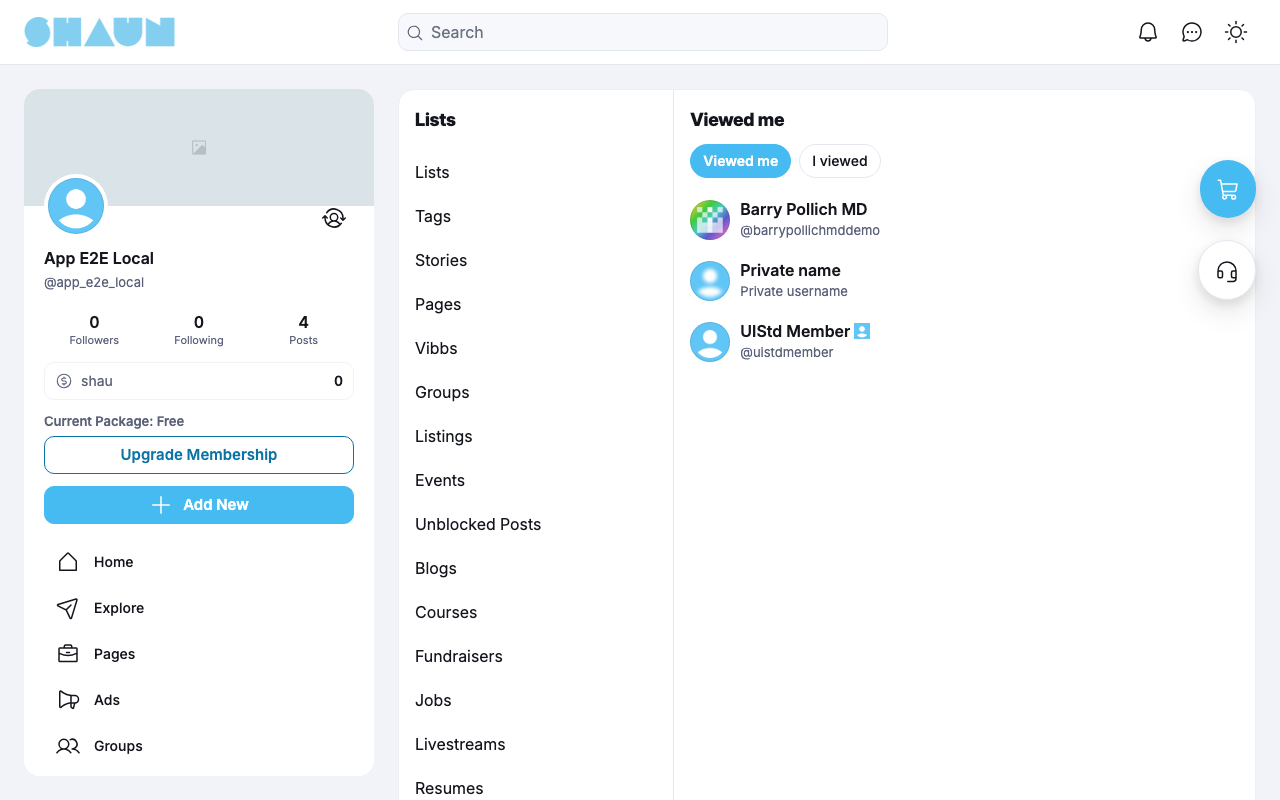
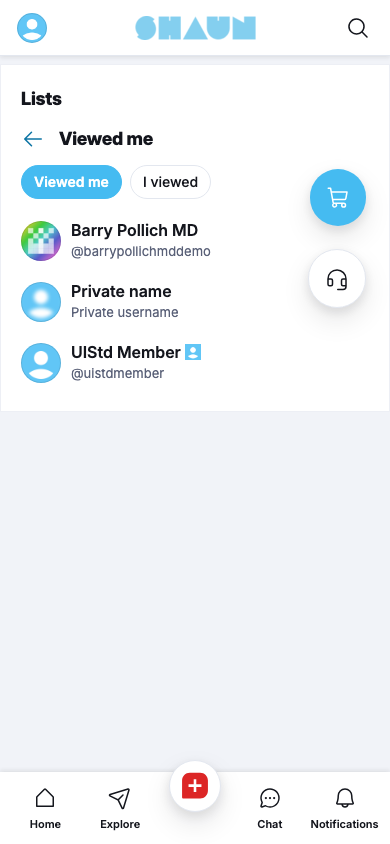
https://example.com/lists/viewed_me.What you should see: the Viewed me page with two buttons at the top, Viewed me and I viewed, and the list of people below them.
| Button | What the list shows |
|---|---|
| Viewed me (shown first) | the people who opened your profile |
| I viewed | the profiles you opened |
- Each row shows the person's picture, name and username. Click the name or picture to open their profile.
- The newest visit is at the top. Each person is listed once, in the order they first visited; a later visit does not move them up.
- The list shows no dates or times.
- More rows load as you scroll down.
- With no visits yet, the page says "No views yet".
- People who have since deleted their account are left out.
A private visitor (see Browse profiles privately) shows in your Viewed me list as "Private name", with "Private username" in the grey line below and a blurred picture. The row cannot be opened. If your site has given your member level the permission to see private visitors, you see the real person instead.
How a visit is recorded#
Last updated: 2026-11-19 · v1.1.0
A visit is recorded when you open another member's profile on the website while you are signed in. There is nothing to click, and the person you visit gets no notification or e-mail.
- Once per person. Only your first visit to a profile is recorded. Opening the same profile again adds nothing.
- No time limit. Visits stay on the list; they are not removed after a number of days.
- Business pages count too. Opening a business page adds it to your I viewed list.
- Private accounts count too. Opening a private account that shows only "This Account is Private" is still recorded as a visit.
These visits are not recorded:
- opening your own profile;
- visits by people who are not signed in;
- visits made while the site has the feature switched off.
Browse profiles privately#
Last updated: 2026-11-19 · v1.1.0
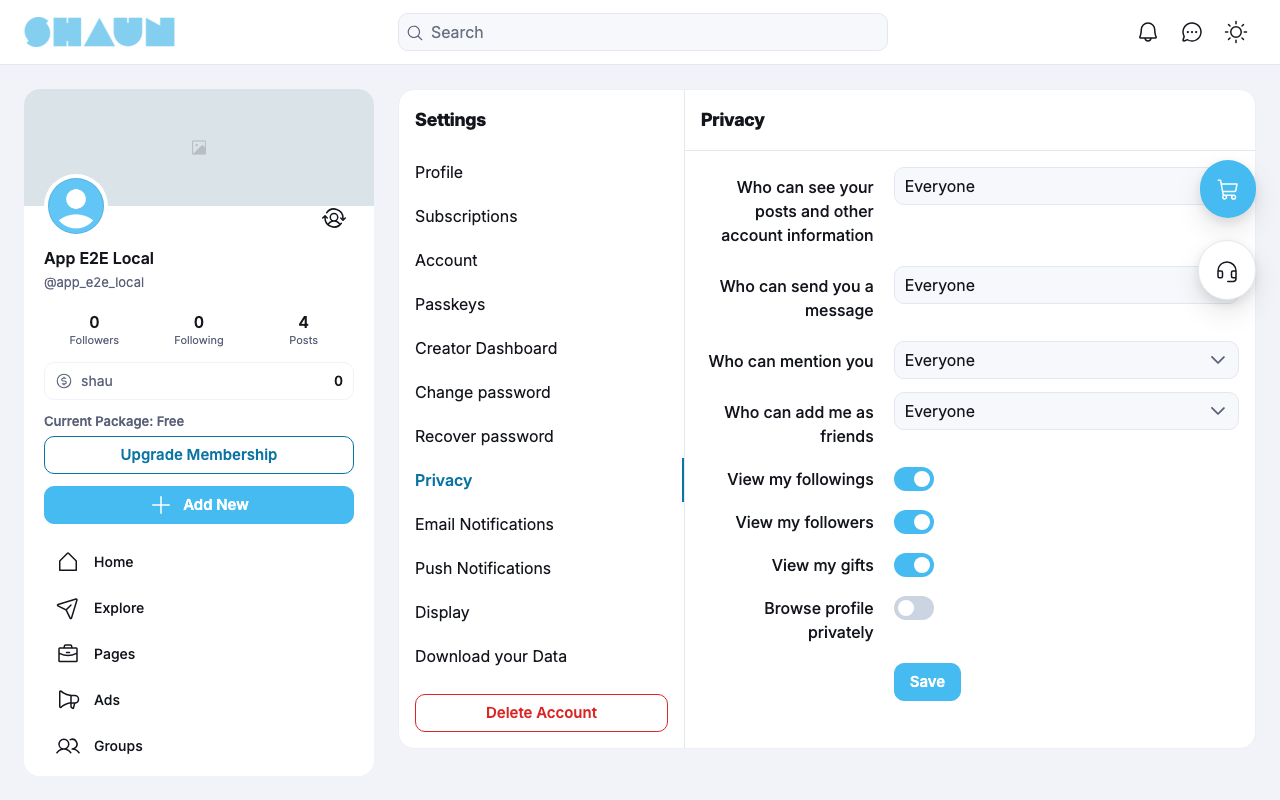
- Open Settings and click the Privacy tab (see Privacy in the ShaunSocial guide).
- Switch on Browse profile privately and click Save.
The switch is off until you turn it on. While it is on:
- your visits are still recorded, but in the Viewed me list of the people you visit you appear as "Private name", with "Private username" and a blurred picture, and your profile cannot be opened from there;
- members whose level has the permission to see private visitors, and the site's admins and moderators, still see your name;
- your own I viewed list still shows the profiles you visited by name.
Whether you show as "Private name" is decided by how the switch is set now, not when you made the visit. Turn it on, and the profiles you visited before also show you as "Private name". Turn it off, and every visit shows your name again, including the ones you made while it was on.
The blurred picture is a blurred copy of your own profile picture, made when you upload or change your profile picture. Until then, for example if you joined before the site added Viewed Me, a standard blurred picture is shown. Either way your real picture is never shown to people who may not see who you are.
Change log#
Last updated: 2026-11-19 · v1.1.0
| Date (GMT+7) | Section | What changed |
|---|---|---|
| 2026-11-19 | viewed-me-page, visits, browse-privately | New page. Its sections were moved here unchanged, with links to other pages updated: "See who viewed your profile", "How a visit is recorded", "Browse profiles privately" (from the former page "Set up and use Viewed Me"). |
| 2026-11-19 | viewed-me-page, visits, browse-privately | First version for Viewed Me 1.1.0, written from the 1.1.0 code. The admin steps were read from the code, not run. Screenshots from a site running Viewed Me 1.1.0. |
| 2026-11-19 | viewed-me-page, visits | Correction after review: opening a private account is recorded as a visit too; clearer wording on the order of the list. |
| 2026-11-19 | all | Pages reorganised: AdminCP content now has its own pages. |