Job plugin 1.1.0 / AdminCP
Categories, types, levels and skills
Admin
This page is for admins: the lists members choose from when they post or search for a job.
Categories, types, levels and skills#
Last updated: 2026-11-19 · v1.1.0
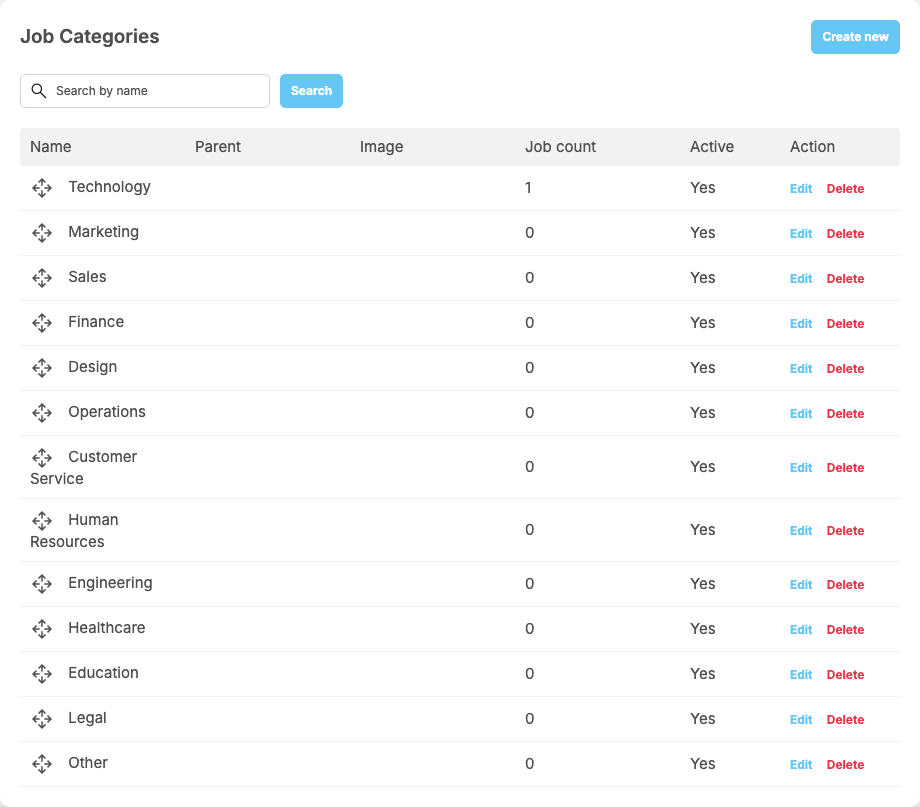
Six lists feed the Post a Job form and the job board filters. Each list shows the Name, the Job count and Active, with Create new, Edit and Delete; drag rows to change the order. Names can be translated with Translate after creating. An entry that is not active is no longer offered for new jobs.
| Menu item | After installing | Notes |
|---|---|---|
| Manage Categories | 13, from Technology to Other | each category can have an Image and a Parent Category; search by name. "Reordering is available on the unfiltered list only." A job can be in several categories |
| Manage Employment Types | Full-time, Part-time, Contract, Internship, Freelance, Remote | one per job |
| Manage Skills | 57 common skills | Aliases: "Comma-separated spellings that mean this skill, for example: js, javascript." What an employer types is matched to these skills |
| Manage Work Types | Remote, Hybrid, Onsite | a Description "Shown under the option on the job create form." |
| Manage Experience Levels | Entry Level to Executive (5) | "Drag to reorder from the lowest level to the highest." The Resume plugin uses this order to compare a resume with a job |
| Manage Education Levels | High School to Doctorate (6) | the same, lowest to highest |
Change log#
Last updated: 2026-11-19 · v1.1.0
| Date (GMT+7) | Section | What changed |
|---|---|---|
| 2026-11-19 | lists | New page. Its sections were moved here unchanged, with links to other pages updated: "Categories, types, levels and skills" (from the former page "Set up and manage Job"). |
| 2026-11-19 | lists | First version for Job 1.1.0, written from the 1.1.0 code. No job was approved, rejected or featured while writing: those actions and their messages were read from the code, not run. Screenshots from a demo site running Job 1.1.0. |
| 2026-11-19 | all | Pages reorganised: AdminCP content now has its own pages. |