
The most common use for a web application manifest is to provide information that the browser needs to install a progressive web app (PWA) on a device, such as the app’s name and icon.
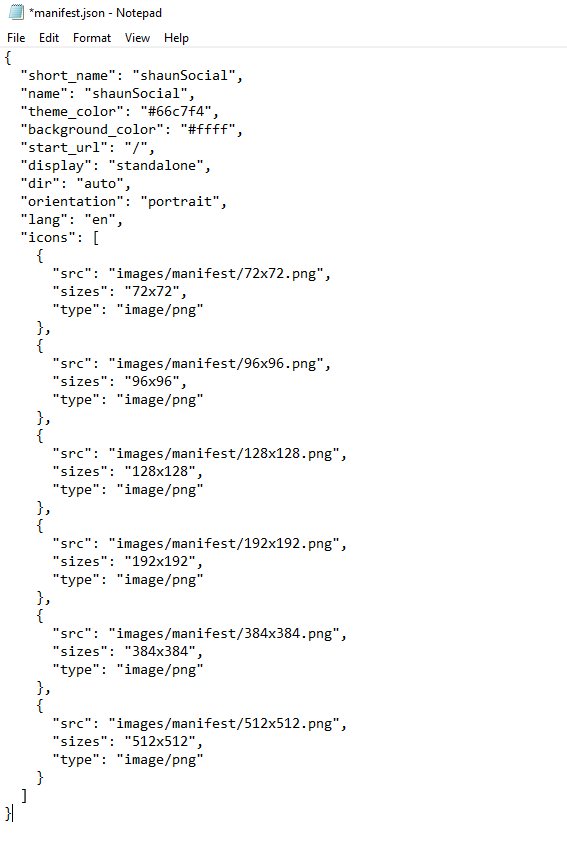
Navigate to the public folder and edit the manifest.json file. You can configure this information:
- short_name: The short_name manifest member is used to specify a short name for your web application, which may be used when the full name is too long for the available space.
- name: The name manifest member is used to specify the full name of your web application as it’s usually displayed to users, such as in application lists or as a label for your application’s icon.
- theme_color: The theme_color member is used to specify the default color for your web application’s user interface. This color may be applied to various browser UI elements, such as the toolbar, address bar, and status bar. It can be particularly noticeable in contexts like the task switcher or when the app is added to the home screen.
- background_color: The background_color manifest member is used to specify an initial background color for your web application. This color appears in the application window before your application’s stylesheets have loaded.
- start_url: The start_url manifest member is used to specify the URL that should be opened when a user launches your web application, such as when tapping the application’s icon on their device’s home screen or in an application list.
- display: The display manifest member is used to specify your preferred display mode for the web application. The display mode determines how much of the browser UI is shown to the user when the app is launched within the context of an operating system. You can choose to show the full browser interface or hide it to provide a more app-like experience.
- orientation: The orientation manifest member is used to specify the default orientation for your web application. It defines how the app should be displayed when launched and during use, in relation to the device’s screen orientation, particularly on devices that support multiple orientations.
- icons: The icons manifest member is used to specify one or more image files that define the icons to represent your web application. All icons need to upload into the public/images/manifest folder.


