
SMS OTP is the most popular service. Used to provide one-time passwords to customers in financial transaction activities, authenticate accounts, and secure important information. OTP is only valid for a few minutes to ensure account security and minimize the risk of fraud.
Add an extra step to ask member to verify their phone number before using the platform.
Step 1: Go to Twiilo website, sign up an new account or log in with existing account.
Step 2: Go to console dashboard and follow steps to verify phone number (skip this step if you already verified).
Step 3: Go to here to create a new project.
Step 4: After creating a new project, go to here to select country list.
Step 5: Go back to console dashboard, and click on “Upgrade Project” to buy full sms service.
Step 6: Create a Regulatory Bundle
- Access to Bundles menu
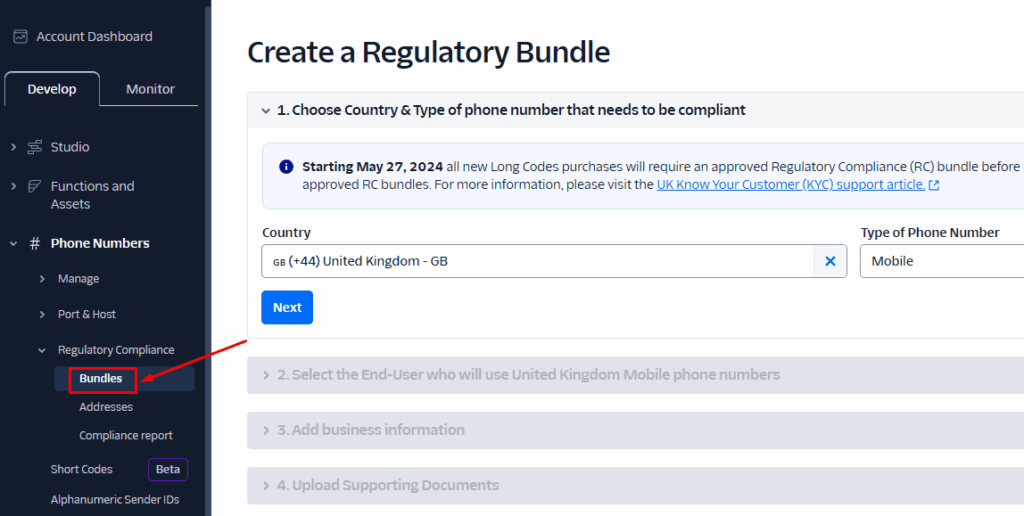
- Click on Create a Regulatory Bundle button
- Select your country and type of phone number is Mobile. If the country you select not support the mobile type, you can select (+44) United Kingdom instead => Next
- Select the Identity Type: Individual or Business => Next
- Fill all the information => Continue
- Enter your address => Continue
- Upload your Identity Document => Continue
- Enter your final details => Continue
- Waiting the status change to Approved

Step 7: Buy phone number
- Access to Buy a number menu:
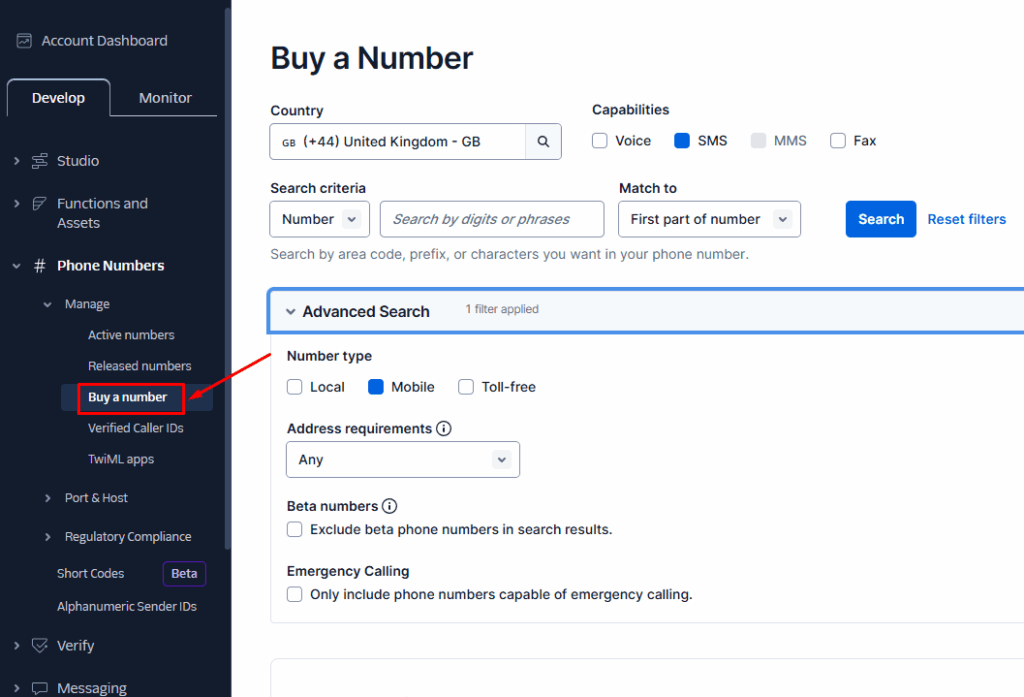
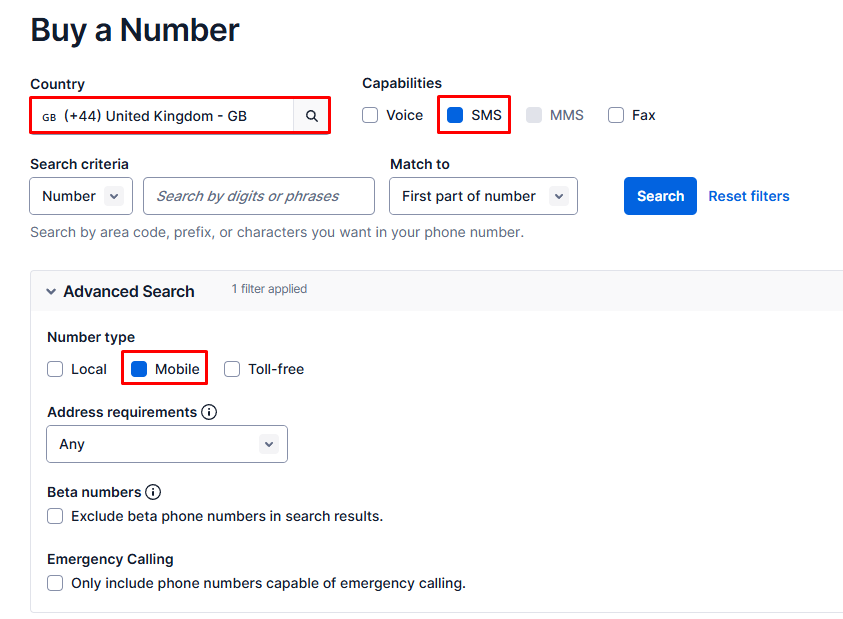
- Filter phone number and search:
Country: the country you select at Step 6
Capabilities: select ‘SMS’
Number type: select ‘Mobile’
- Select a phone number and buy
- Review phone number and click on Next
- Select the end-user type: Individual or Business and click on Next
- Select the Bundle that approved
- Select the assign address => Buy
Step 9: You can find “My Twilio phone number”, “ACCOUNT SID” and “AUTH TOKEN” (LIVE Credentials) here
Step 10: Go to Admincp, expend “Site Settings”, then select “Manage Sms Providers”, click “Edit” from Twillo row and input all settings
- From: input Twillo phone number the you buy
- Sid: input “ACCOUNT SID” from Twillo
- Token: input “AUTH TOKEN” from Twillo


