Our marketplace plugin makes it easy for members to create and manage different types of listings—all within a single, flexible system.
Members can add a wide variety of listings, such as:
- Products for sale
- Services for hire
- Houses or properties for rent
- Cars for rent
- Job postings to find candidates
- …..
The type of listing and the fields required will automatically adjust based on the category selected. This ensures that each listing collects the right information—for example, a job listing will include salary details, while a property listing may include size, location, and amenities.
To provide a smooth experience, members can save their listing as a draft before publishing. This allows them to review and complete all necessary details at their own pace, ensuring everything is accurate before making it visible to others.
Once a listing is no longer available—such as when a product is sold or a service is no longer offered—members can easily remove it from public view by saving it as a draft or deleting it entirely.
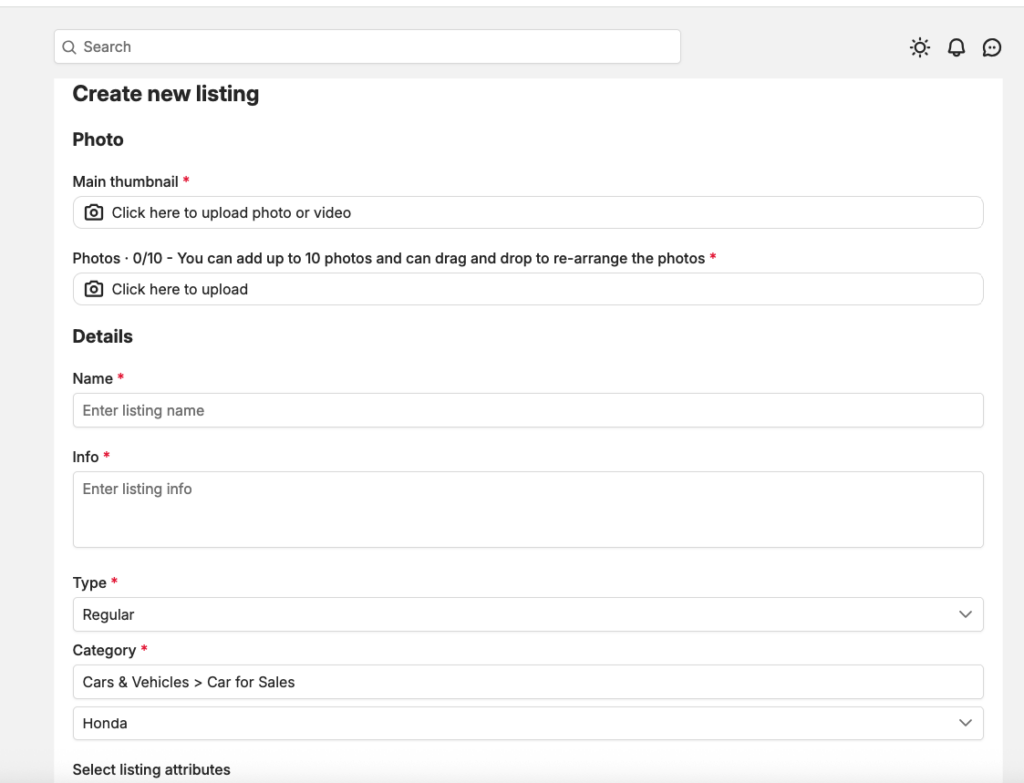
The main thumb of a listing can be a video or a image and it’s required
You can add multiple photos for your listing
Need to enter listing name, description (can control max limit of description field in admin panel)
Product Types
Our marketplace plugin supports multiple product types to give sellers more flexibility in how they offer items to buyers.
Currently, members can choose between:
🔹 Regular Product #
This is the standard listing type where members sell products or services directly on the platform. Buyers can interact, purchase, or contact the seller depending on the configured purchase method.
🔹 Affiliate Product #
With the affiliate option, members can promote products from external websites and earn commission through referrals.
Instead of selling directly on the platform, the seller simply needs to provide the product URL. When users click on the link and make a purchase on the external site, the seller can earn a commission based on their affiliate program.
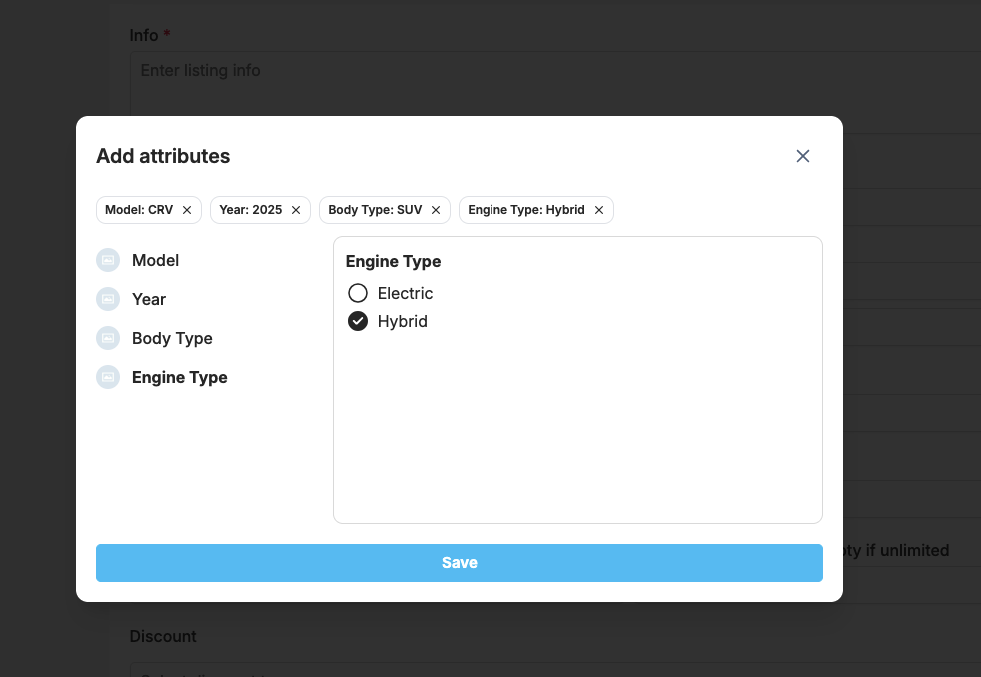
Select category and sub-category for the listing, then click on “Select listing attributes” to start adding custom fields/date for your listing based on your selected category
Hashtags & Location
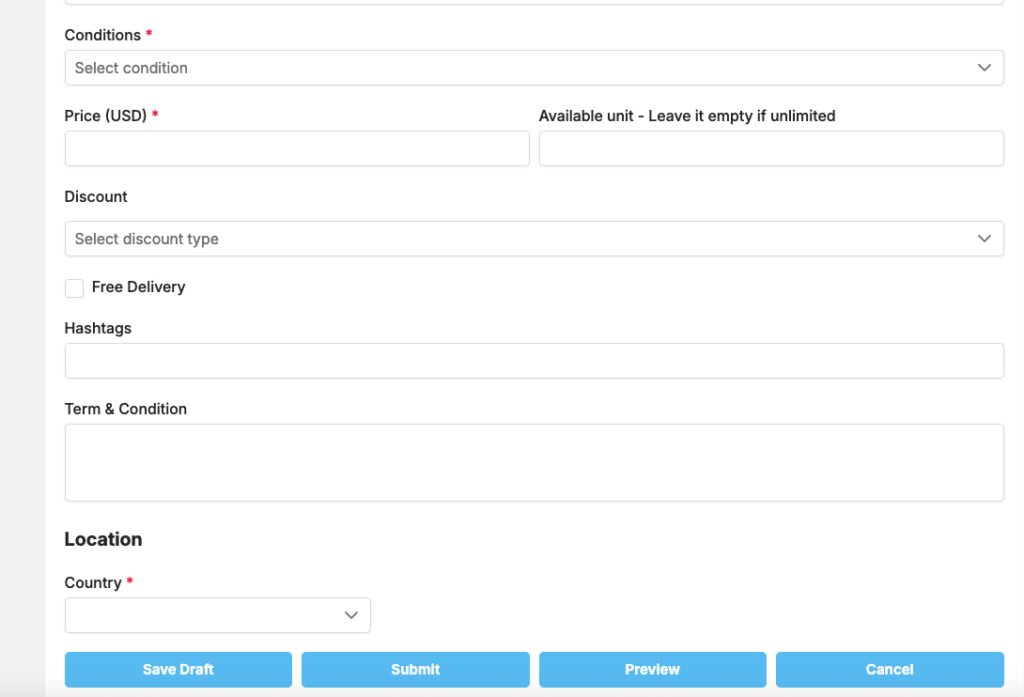
To improve visibility and help others find your listing more easily, members are required to provide both hashtags and location information when creating a listing.
🔹 Hashtags #
Hashtags act as keywords that describe your listing. They make it easier for other users to discover your product or service through search and browsing.
For example:
- #carforsale
- #apartmentrent
- #webdesign
Using relevant and specific hashtags will significantly increase your listing’s exposure within the marketplace.
📍 Location #
Location helps users find listings that are nearby or within a specific area. This is especially important for services, rentals, and local transactions.
By adding accurate location details, your listing can appear in location-based searches and “nearby listings,” making it more relevant to potential buyers.
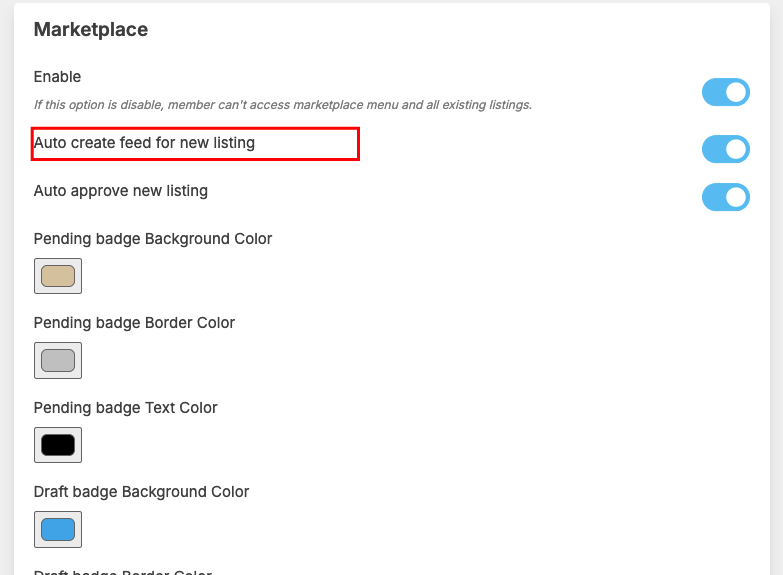
After all required data are added, you can save it as draft, preview it or submit to publish it for member to see and by. If a someone is following you, he will see the listing feed at home page. You can disable auto create feed in admincp